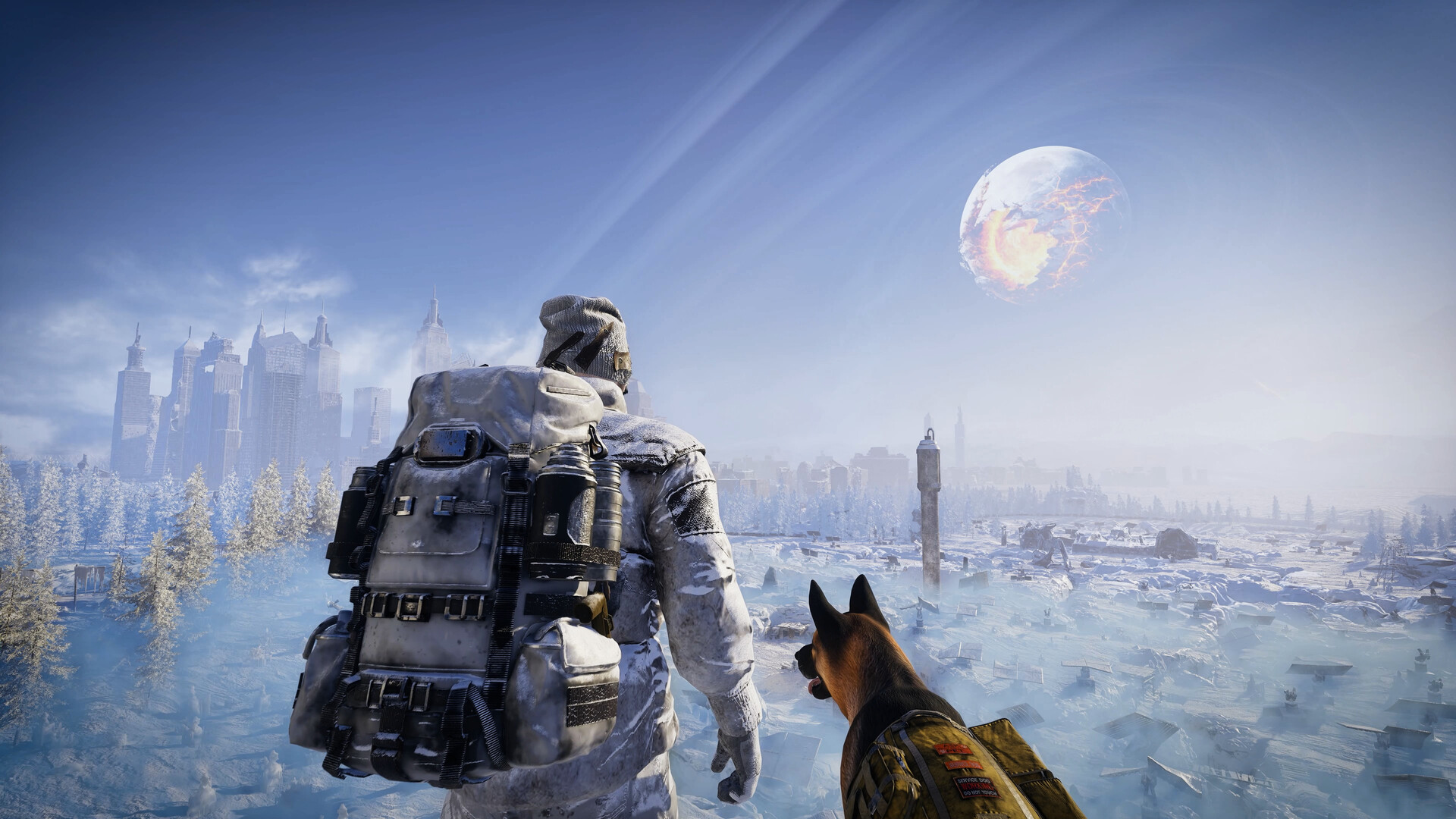
What is Permafrost, and how do you start?
Permafrost is SpaceRocket Games' story-driven, open-world survival sandbox, where you explore a frozen Earth, rebuild shelters and technology, and survive extreme cold. Start by purchasing and installing the Windows PC Early Access game through Steam, GOG or Epic Games Store, then create a world and character.
Identify the game and your role
Look for Permafrost developed by SpaceRocket Games and published by Toplitz Productions. Its setting is a frozen, post-apocalyptic world, with survival, exploration, crafting and shelter building at the center of play. Check those developer and publisher names when choosing a storefront listing so you reach the game described here.
You play a Rook, an engineer with rebuilding skills but little wilderness experience. A radio signal from a long-lost friend draws you into this unforgiving world. The story takes place on a near-future Earth locked in endless winter after catastrophes culminating in the shattering of the moon.
Understand what you are trying to accomplish
Your central objective is to endure the cold while exploring and rebuilding your way through the world. You scavenge resources, craft tools and build a network of shelters to support that journey. Progress comes through exploration and adaptation, including restoring abandoned shelters, repairing broken machines and reclaiming technology that helps you push deeper into the frozen landscape.
Cold shapes the decisions you make along the way: frostbite, storms and creeping chill make preparation, shelter and timing part of survival. Frozen cities and wilderness also contain survivors and faction-controlled territories to navigate. Some survivors trade with you, while others fight over resources, so approach exploration with both the weather and the people around you in mind.
Choose the current Windows Early Access release
The current purchase-and-install route is the Windows PC Early Access game on Steam, GOG or Epic Games Store. Permafrost entered Early Access on October 9, 2026. The earlier time-limited playtest was a prelaunch event, so use the storefront release when starting now. Choose your preferred store below, then check its product details before purchasing.
Check your PC before purchasing
Compare your computer with the minimum requirements listed on Steam before buying. The baseline covers your operating system, processor, memory, graphics hardware, DirectX and available storage. Check the specifications of the computer you intend to use, especially if you are choosing between several PCs.
| Requirement | Minimum specification |
|---|---|
| Operating system | Windows 10 64-bit |
| Processor | Intel Core i5-8600K or AMD Ryzen 5 3500 |
| Memory | 16 GB RAM |
| Graphics | GTX 1060 6 GB or Radeon RX 590 8 GB |
| DirectX | DirectX 11 |
| Storage | 30 GB available space |
Go from the storefront to your opening journey
- Open your chosen Permafrost product page to reach the Windows Early Access release on Steam, GOG or Epic Games Store.
- Compare your PC with the listed system requirements to assess the computer you plan to play on before purchasing.
- Purchase the game through your chosen storefront to proceed with the paid Early Access release.
- Install the Windows Early Access game so you can launch Permafrost on your PC.
- Create a world to begin setting up your Permafrost playthrough.
- Create your character to begin the story as a Rook, an engineer drawn into the frozen world.
- Play through the opening to learn the setting, meet its characters and get your bearings on surviving the cold.
Decide whether to begin solo or with friends
Permafrost supports solo play and online co-op for up to 4 players. In co-op, you can divide responsibilities and build shelter networks together. Choose solo if you want to learn at your own pace, or arrange a shared start if exploring with friends appeals to you. For a hosted game, guests can join once the host has reached the cabin.
If you are joining through Steam, launch Permafrost and remain at the main menu before using an invitation. Both Steam chat invitations and Join Game from the Steam friends list work when the joining player is already at that menu. Agree on who will host before starting so everyone knows whose game they are joining.
Choose an edition by the extras you want
The Companion Edition includes the base game and the Official Companion digital book. The Ultimate Edition includes those contents plus the Official Cookbook, the original Permafrost soundtrack and the Permafrost novel. Choose based on whether those digital extras interest you alongside the game. If your immediate aim is to start playing, focus your purchase decision on the game itself and treat the extras as a separate preference.
Find your bearings after launching
Follow the opening before planning a long expedition, since it introduces the setting, characters and rules of surviving the cold. Horizon is the first safe zone you reach, through a short cave from the ravine where the game starts. It is a No Build Zone, so plan your own construction elsewhere as you settle into the journey.
Once you have your bearings, choose further help around the task in front of you. For crafting, look up the particular recipe or station you need; for exploration, focus on the destination you are trying to reach. Keep detailed tool upgrades, resource routes and quest walkthroughs for when they answer an immediate problem in your playthrough.